
Software
Feature Request
Your feedback shapes the roadmap. Submit ideas, vote, and help decide what we build next.
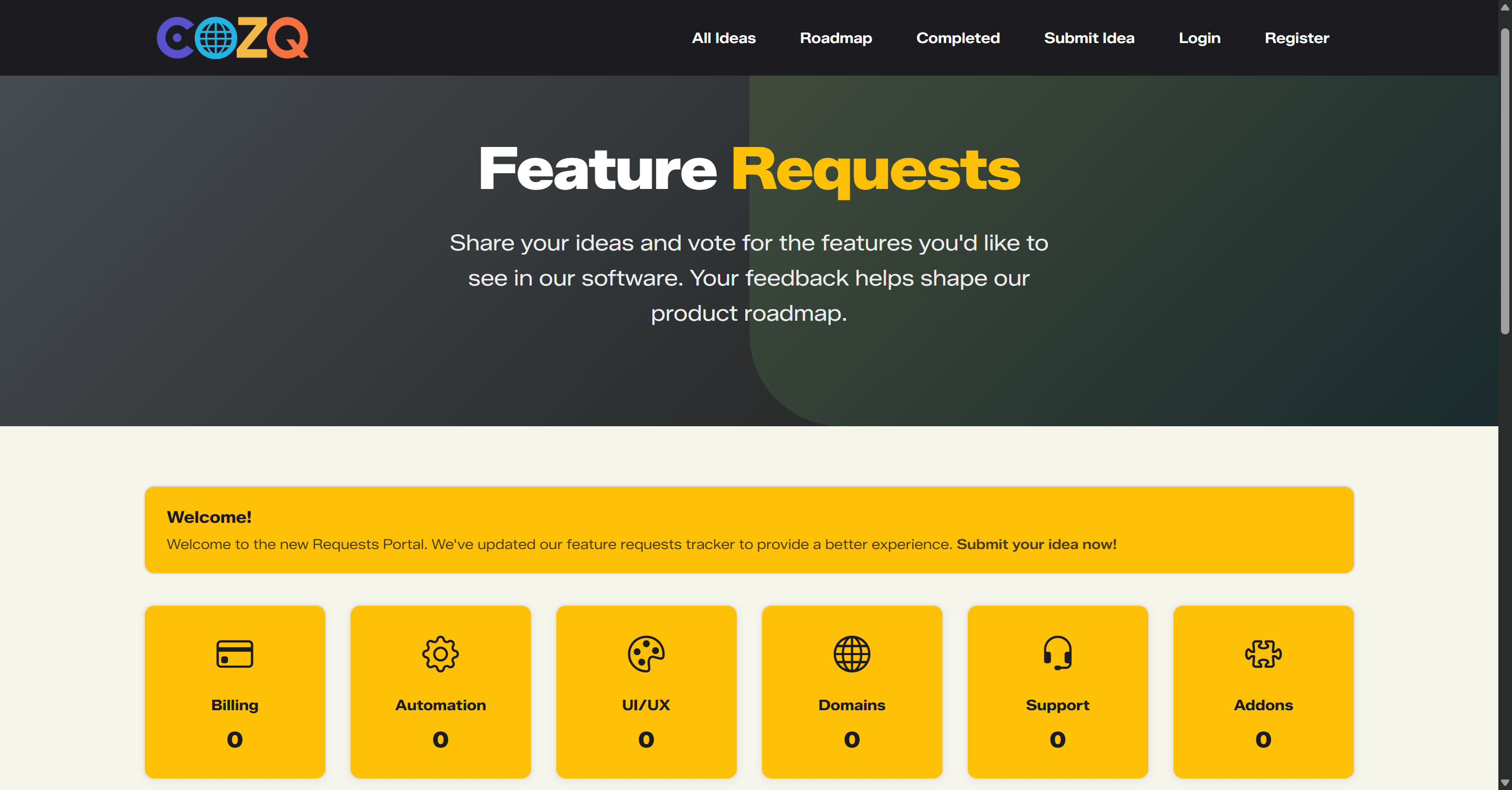
A complete, standalone feature-request and idea-tracking system that lets your users submit ideas, vote on what matters most, discuss in threads with @mentions, and follow a clear status lifecycle - while you control categories, moderation, branding, and notifications from one admin area.
- Licensing Self-Hosted
- Licensing Monthly
- Licensing Yearly
- Licensing Branded
- Licensing Unbranded
- Ideal for Hosting Providers
- Ideal for Agencies
- Ideal for Developers
- Ideal for Internal Teams
- Ideal for Enterprises
- Ideal for SMBs
Overview
What it does
The Feature Request System is a powerful, self-hosted platform for collecting, prioritising, and managing product ideas from your users making it ideal as a dedicated feedback hub or as a seamless addition to an existing website.
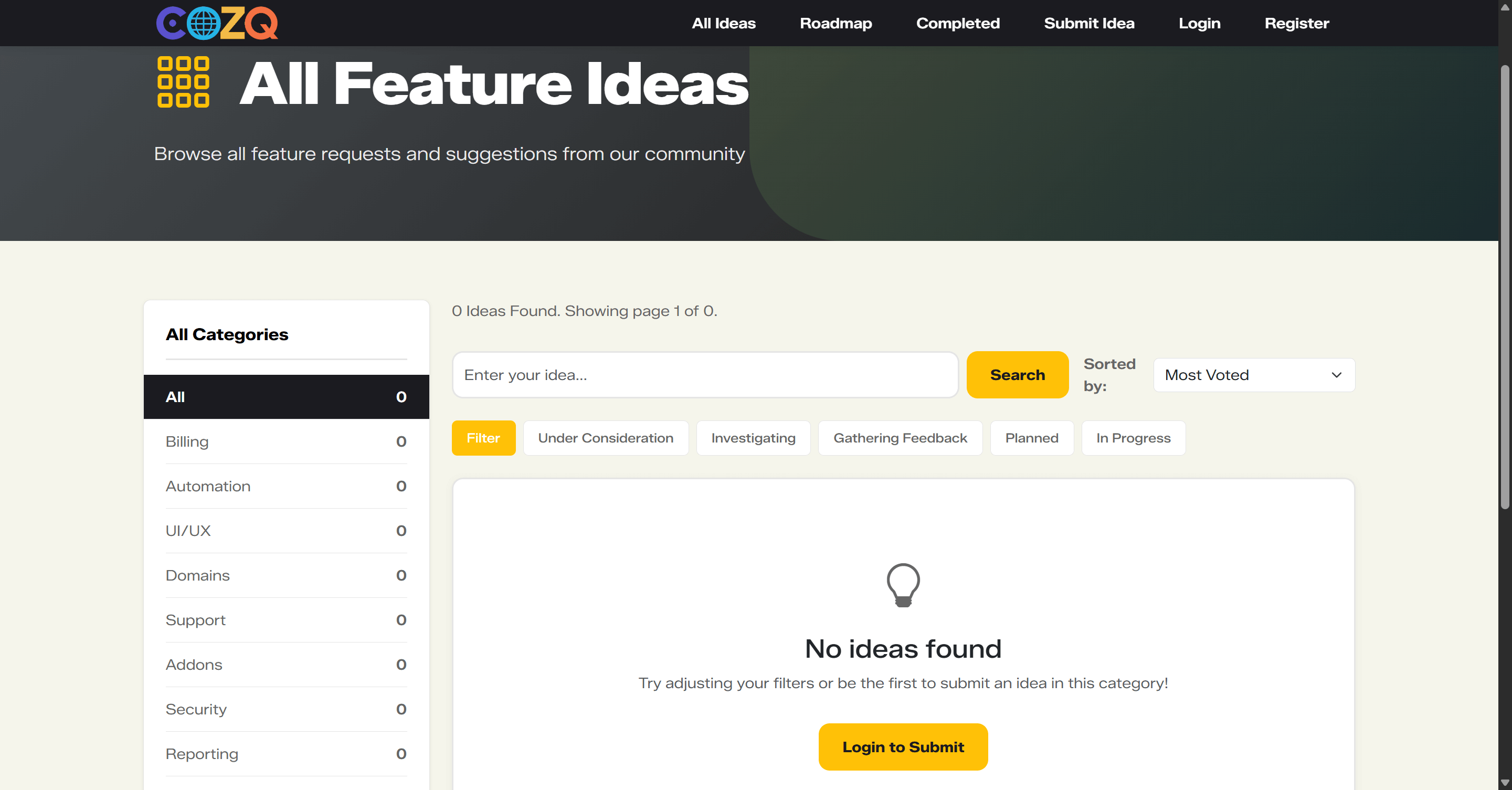
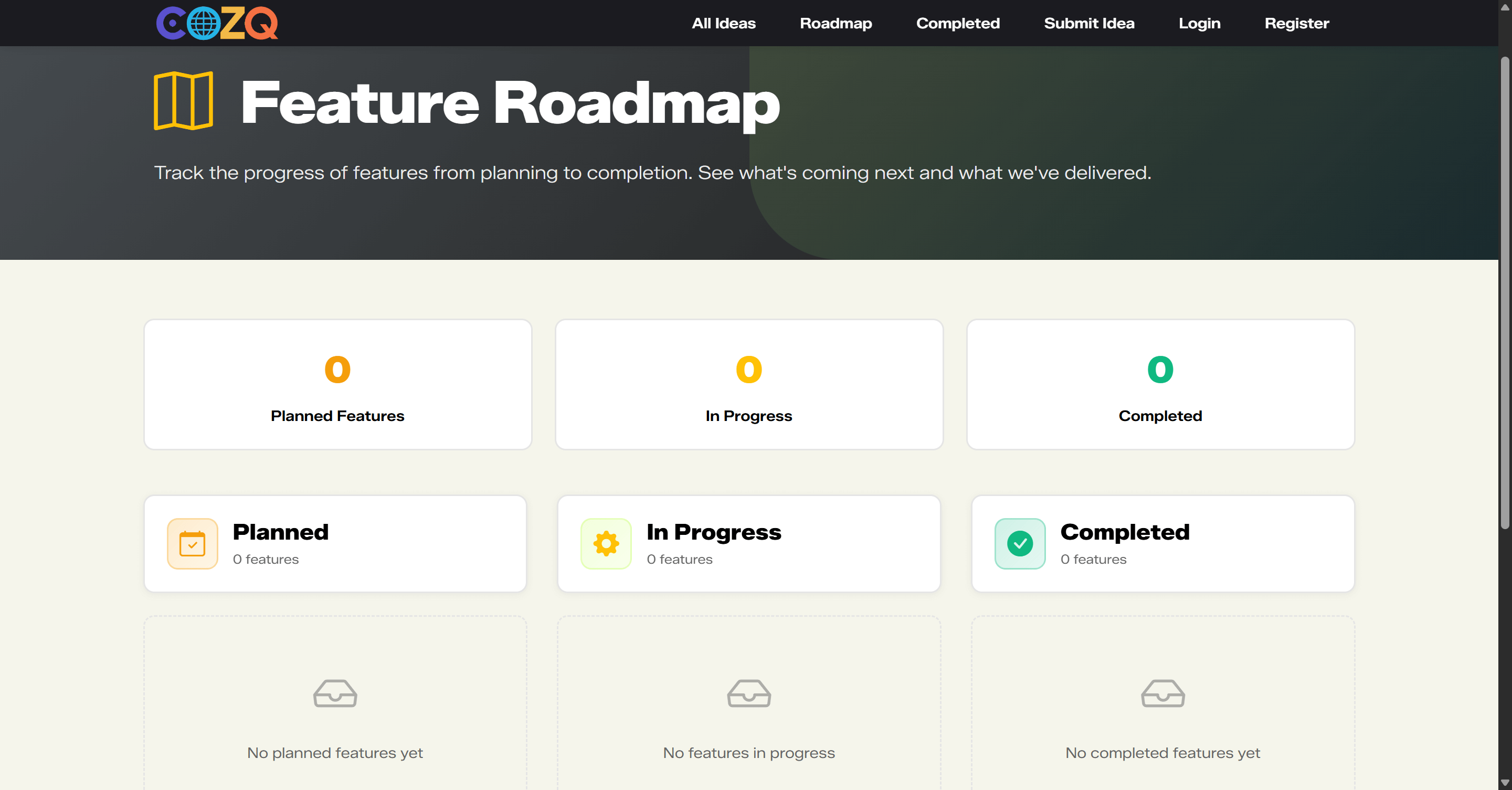
Users can register and sign in to submit feature requests with a clear title, description, categories, tags, and optional file attachments. Each user is given a configurable monthly vote allowance, allowing them to support the ideas that matter most. Votes can be spread across multiple ideas, with per-idea limits if required, and automatically reset at the start of each calendar month to encourage ongoing engagement. Ideas can be searched by keyword, filtered by category or status, and sorted by popularity, activity, or newest first. A built-in roadmap clearly shows what is planned, in progress, or completed, while a dedicated completed view highlights ideas that have already shipped.
Discussion takes place through structured comments and replies. Users can @mention others to bring them into the conversation and keep collaboration focused. To reduce noise and abuse, administrators can enforce a minimum account age before commenting and require a minimum level of participation before voting. Comments can be auto-approved or held for moderation. Idea authors can edit their submissions within a configurable time window, after which editing is restricted to staff only. Staff can add private internal notes, merge duplicate ideas and combine their votes, and move ideas through a full status lifecycle, from New and Under Consideration through to Completed, Declined, or Closed.
Users can follow ideas to receive updates when statuses change or when new comments are added. Each user has a personal notification centre and a clear overview of how many votes they have remaining. A flexible badge system rewards valuable contributions and can be configured and awarded by staff. Ideas and comments that break the rules can be reported, with all reports reviewed and managed centrally in the admin area. Optional CAPTCHA protection (Cloudflare Turnstile or Google reCAPTCHA v2/v3) helps protect login, registration, and submission forms from spam and abuse.
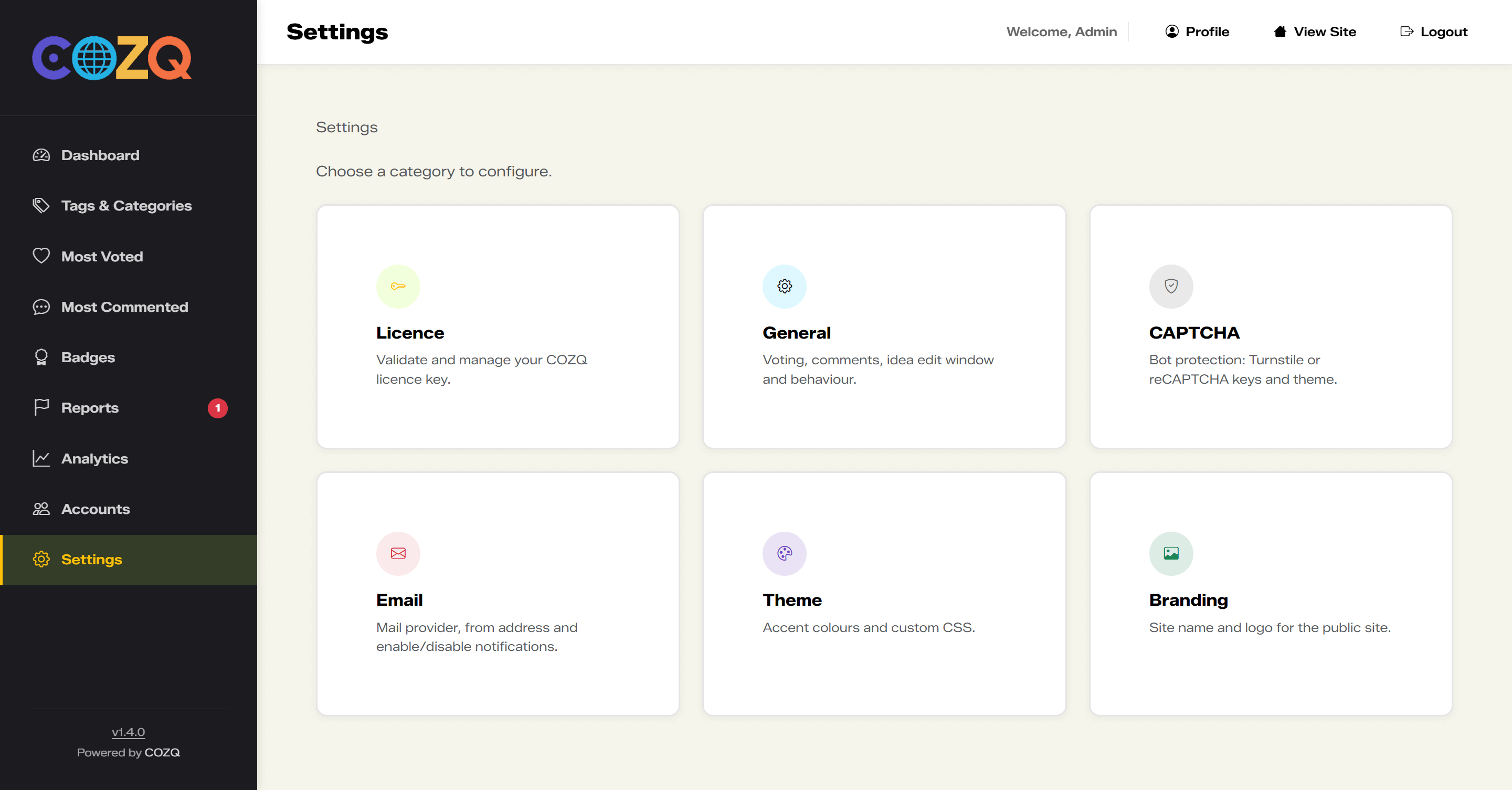
Administrators manage the entire platform from a single dashboard, including ideas, categories, tags, comments, votes, users, staff accounts, badges, reports, and analytics. Branding is fully customisable, with support for your site name, logo, accent colours, custom CSS, and a configurable welcome banner on the homepage. Email delivery is fully configurable using SMTP, Microsoft 365, or Gmail, with granular control over which notifications are sent — including welcome emails, comment and reply alerts, @mention notifications, vote updates, status changes, follow confirmations, password resets, report notifications, and badge awards. Licensing is handled via COZQ, with support for both branded and unbranded installations depending on your licence with free updates.
Built with PHP and MySQL, the system uses clean, readable URLs and it's well suited to product teams, SaaS businesses, and organisations that want a professional, transparent way to gather feedback, prioritise development, and show users that their ideas genuinely matter.
- Full idea lifecycle
- Roadmap and completed views
- Configurable monthly voting system with automatic resets
- Submit ideas with attachments
- Comments and threaded discussions
- Follow ideas with notifications
Capabilities
Features
-
Full idea lifecycle
-
Roadmap and completed views
-
Configurable monthly voting system with automatic resets
-
Submit ideas with attachments
-
Comments and threaded discussions
-
Follow ideas with notifications
-
Search, filter, and sort ideas
-
Categories and tags per idea
-
@mentions with user notifications
-
Admin control over ideas, votes, and status
-
Merge duplicate ideas and votes
-
Private staff only notes
-
Comment moderation and controls
-
User accounts and profiles
-
My Votes overview
-
Contribution badges
-
Account age and voting rules
-
Email notifications
-
Email verifications
-
Reports and moderation queue
-
Analytics and insights
-
Branding and logo upload
-
Theme and custom CSS
-
Global system settings
-
CAPTCHA protection
-
Email delivery (SMTP, Microsoft 365, Gmail)
-
Fully responsive modern UI
-
Homepage welcome banner
-
Free updates
Connects with
Integrations
-
cPanel/WHM

-
WHMDC

Product
Screenshots
Try it, then licence it
Open a demo first if you want to see the product, or go straight to checkout when you are ready.
Demos
Licensing
Updates
Changelog
-
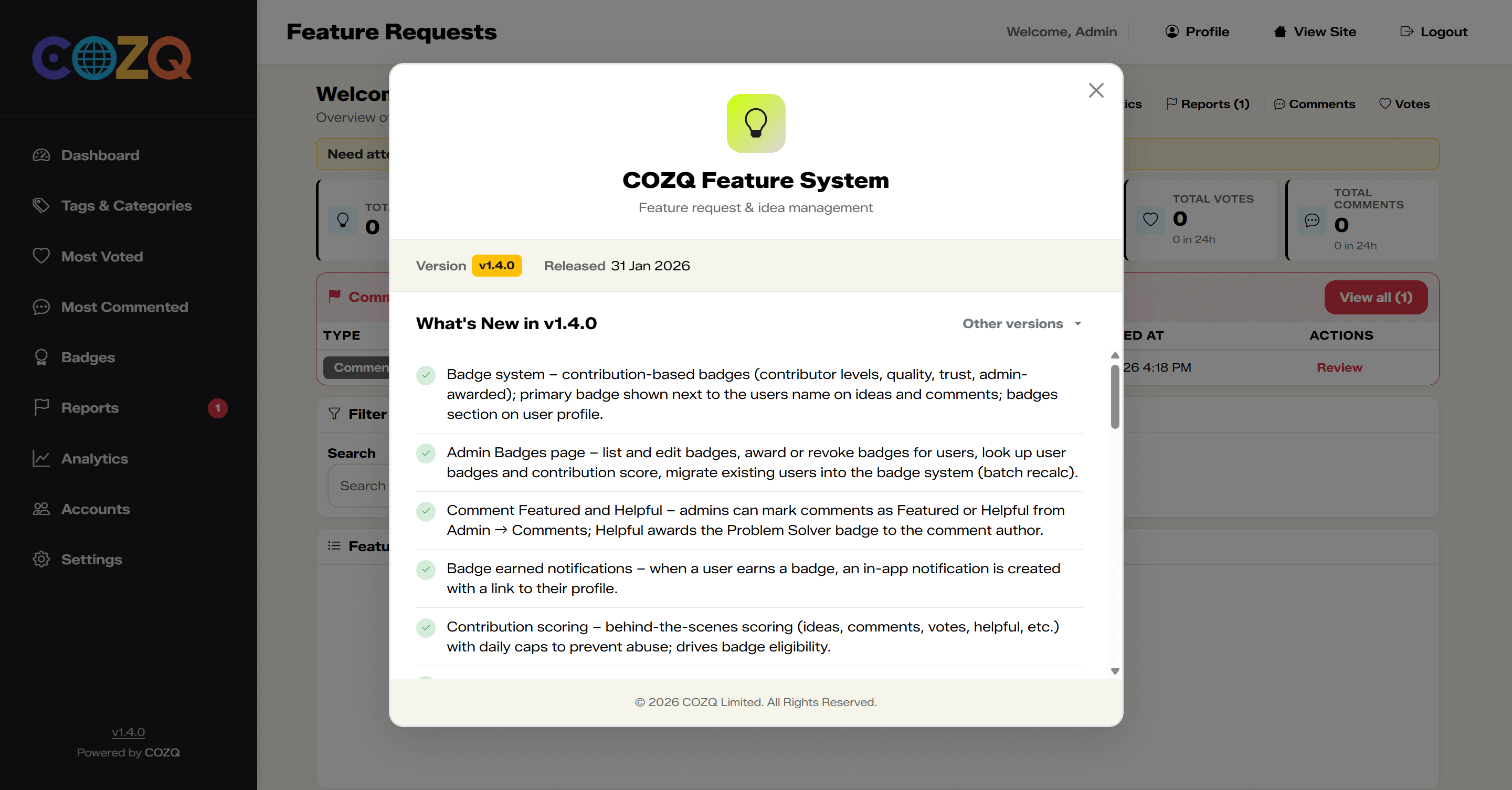
v1.4
- Badge system – contribution-based badges (contributor levels, quality, trust, admin-awarded); primary badge shown next to the users name on ideas and comments; badges section on user profile.
- Admin Badges page – list and edit badges, award or revoke badges for users, look up user badges and contribution score, migrate existing users into the badge system (batch recalc).
- Comment Featured and Helpful – admins can mark comments as Featured or Helpful from Admin → Comments; Helpful awards the Problem Solver badge to the comment author.
- Badge earned notifications – when a user earns a badge, an in-app notification is created with a link to their profile.
- Contribution scoring – behind-the-scenes scoring (ideas, comments, votes, helpful, etc.) with daily caps to prevent abuse; drives badge eligibility.
- @mention in comments – type @ in a comment or reply to mention users; autocomplete dropdown with avatars and names; mentioned users are highlighted in displayed comments.
- Mention email notifications – optional email when a user is @mentioned (toggle in Admin → Settings → Notifications).
- User search API – GET /api/users/search for mention autocomplete and other uses.
- Configurable max file size – Admin → Settings → General: set max upload size per file (1–100 MB, default 10 MB); enforced on idea submission and shown on the submit form.
- Configurable max attachments per idea – Admin → Settings → General: set max number of files per idea (1–20, default 10); enforced and shown on the submit form.
- Configurable welcome banner – Admin → Settings → Theme: custom title, message and optional link for the homepage banner; link hidden if URL is empty.
- Admin sidebar version – version number in the footer is clickable and opens this changelog modal.
- Changelog modal – view release notes for the current version from the admin sidebar.
- Follow logic added – users can follow ideas.
- Share idea options – share ideas via available options.
- Reports and analysis pages in admin – dedicated reports and analytics pages in the admin area.
- Updated UI in admin – refreshed admin interface.
- New auth page design – redesigned login and auth pages.
- Updates to front design – improvements to the public-facing layout and styling.
- Email support enhanced – expanded email functionality and options.
- New email design – updated email templates and styling.
- Merge option updated – merging ideas now redirects users to the merged idea.
- Report comment to admin added – users can report comments; admins can review in admin improvements.
- New submit logic (no more duplicates) – duplicate idea submission prevented.
- Idea decline with option – admins can decline ideas with a reason; reason shown on the idea page.
- Admin bulk update ideas – admins can update multiple ideas at once.
- Admin edit user ideas – admins can edit any user’s idea.
- User can edit their own idea – authors can edit their idea within a set time of creation (set in admin settings); after that editing is locked.
- Added a rule that users first and last names are normalised when registering and when editing their profile.
-
v1.3
- Reports – users can report ideas; admins can manage reports from the Reports section.
- Analytics – basic analytics view for admins.
-
v1.2
- Tags and categories – organise ideas with tags and categories.
- Most Voted and Most Commented views in admin.
-
v1.1
- Comments and replies on ideas.
- Voting on ideas.
-
v1.0
- Initial release – submit and browse feature ideas.
Nothing on the roadmap yet.
Licensing, demos, or a custom fit?
Ask about volume terms, self-hosted installs, or integrations - plain answers, with documentation you can rely on.